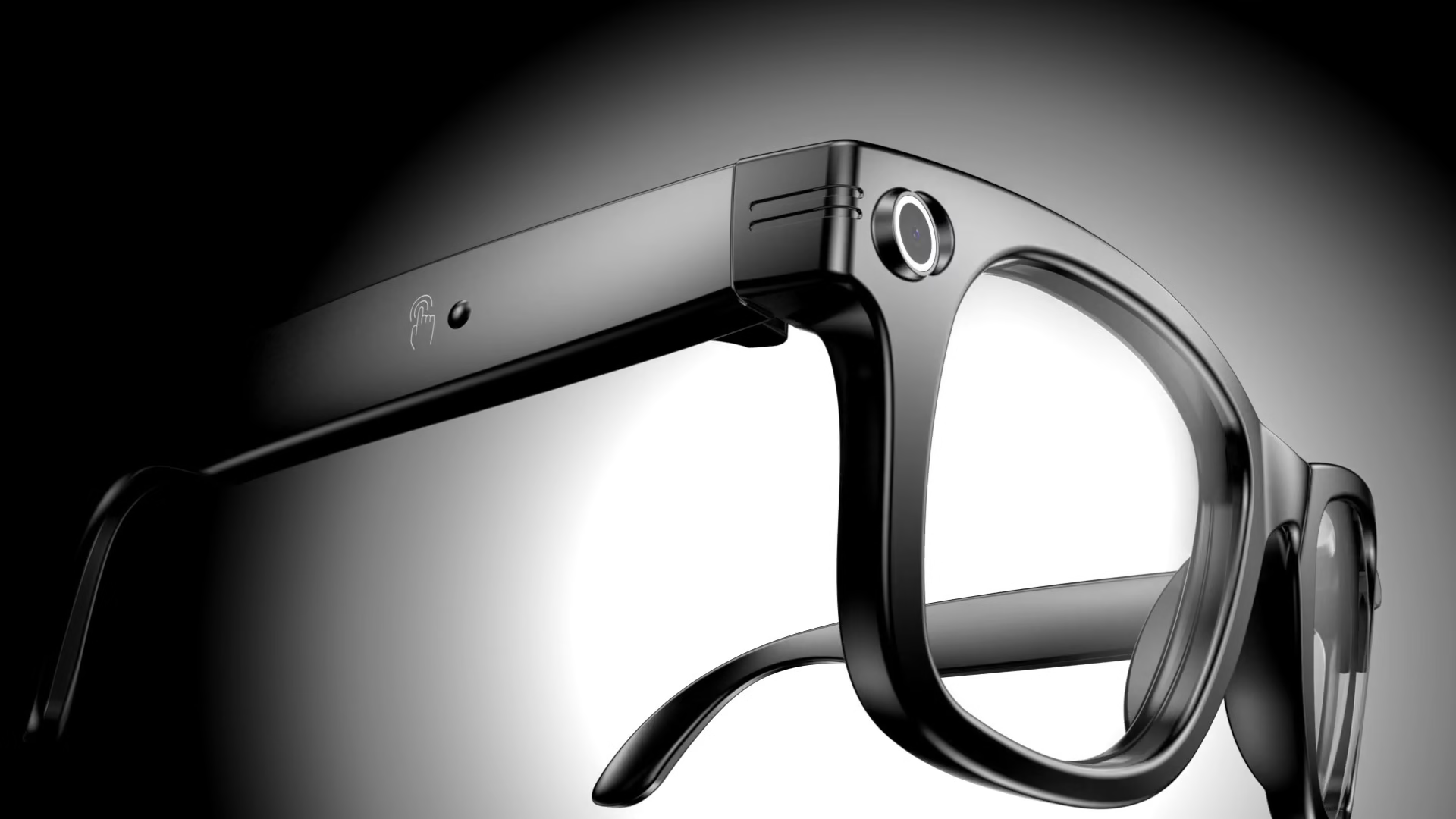
You try to grab your phone, but the moment is gone before you snap a photo. Bluetooth camera glasses fix this problem. They have an 2MP lens and hands-free controls, so you can take pictures fast. Smart glasses also let you share photos right away, which makes your experiences simple and smooth.
Key Takeaways
-
Bluetooth camera glasses let you take photos and videos without using your hands. You can save special moments easily and keep doing what you are doing.
-
These smart glasses link to your devices with Bluetooth. You can share photos fast and use apps together for more features.
-
Smart glasses have things like touch controls, batteries that last long, and augmented reality. They are useful for daily life, trips, and learning new things.
Key features of smart glasses
Smart glasses have many cool features. They help you take and share photos easily. These devices can make your day simpler. They also help you do more things and stay connected.
Hands-free camera and video
You do not need to hold a phone anymore. You also do not need a big camera. Bluetooth camera glasses let you take photos and videos fast. The camera is hidden in the frame. You can record without using your hands. You can stay focused on what you are doing. Some glasses let you livestream. You can share what you see right away. You do not need extra gear.
Tip: You can save memories with a tap or your voice. This is great for trips, events, or hanging out with friends.
Here is how smart glasses and wearable action cameras are different:
|
Feature |
Smart Glasses |
Wearable Action Cameras |
|---|---|---|
|
Camera Type |
Built-in and hidden |
Separate and bigger |
|
Point of View Capture |
Yes, from your eyes |
Yes, but needs to be mounted |
|
Hands-Free Operation |
Yes, all built-in |
Not always, needs setup |
|
Image Quality |
Good for normal use |
Very clear, made for action |
|
User Satisfaction |
High for style and ease |
High for strong build and quality |
Smart glasses look cool and help you record your life. You can use them without your hands. Livestreaming is built in. This makes them easy and fun to use.
Bluetooth connectivity
Bluetooth camera glasses connect to your phone or tablet. You can pair them to move photos, listen to music, and answer calls. Bluetooth does not use much battery. It gives a steady connection. This is good for everyday use.
To connect your smart glasses, do these steps:
-
Charge your glasses all the way.
-
Turn on pairing mode on the glasses.
-
Turn on Bluetooth on your other device.
-
Find your glasses in the Bluetooth list and pick them.
-
Say yes to the pairing request.
You can also use Wi-Fi for faster sharing and alerts. You can send photos and videos to friends or post online. Special apps let you change settings and control your glasses. This makes all your devices work together.
Note: If you have trouble connecting, restart both devices. Update the software. Turn off other Bluetooth devices you are not using.
More key features of smart glasses
Smart glasses use many new technologies. Here is a chart that shows what some popular models can do:
|
Feature |
XREAL Air 2 Ultra |
Ray-Ban Meta |
Z100 |
|---|---|---|---|
|
Processor |
Snapdragon chip and special unit |
N/A |
N/A |
|
Screen Quality |
High-quality 12 MP camera |
N/A |
|
|
Battery Efficiency |
Uses less power |
Uses less power |
Uses less power |
|
Weight |
Light frames |
Stylish frames |
Very light design |
|
Field of View |
52-degree view |
N/A |
N/A |
|
Motion Tracking |
Tracks six ways you move |
N/A |
Follows head movement |
|
Audio Features |
Open-ear speakers |
N/A |
|
|
AI Integration |
N/A |
Smart ai assistant |
N/A |
|
Additional Features |
Small and easy to carry |
Hands-free talking |
N/A |
You get open-ear speakers. They let you hear sound but still hear what is around you. Two microphones with ai help you use your voice. They also block out noise. The ai assistant helps you with calls, messages, and reminders. You just use your voice.
Augmented reality lets you see digital things on top of the real world. You can use AR for maps, learning, and fun. Eye-tracking and biosensors check your health. They watch your heart rate and blood pressure. AI looks at this data. It gives you health tips and early warnings. This helps you stay healthy.
Smart glasses are light and easy to use. You can wear them for trips, doing many things, or every day.
All these features work together to help you take and share photos. You stay connected and ready to save your best moments.
Use cases for smart glasses

Everyday life and travel
Smart glasses can help you every day. You can wear them when you walk in a busy city or hike up a mountain. You do not need to grab your phone to take a picture. You can take photos and videos with no hands. This way, you never miss a special moment. You can use them to get directions fast. They help you learn about new places. You can read messages and notifications while your hands stay free. These things make traveling easier and more fun.
-
You can take pictures fast and without planning.
-
You can record what you see, so your memories feel real.
-
You get good video and sound, which is great for vlogs or sharing.
-
You use maps and info to find new places.
Events, sports, and learning
Smart glasses are useful at events, in sports, and at school. At concerts or family parties, you can record videos and take photos without holding anything. In sports, smart glasses like the Oakley Meta Vanguard are strong and fit well. You can focus on playing your best. You can record your practice as it happens. This helps coaches watch and give advice. In class, smart glasses make learning more fun. You can see digital things, get help right away, and join lessons from far away. You can learn better and pay attention.
-
You can work and talk with others without using your hands.
-
You get quick help to get better at things.
-
You can learn in your own way and join classes from anywhere.
These examples show how smart glasses make life better. They help you save and share your best moments.
Bluetooth camera glasses vs traditional devices
Convenience and accessibility
People want technology that is easy to use. Smart glasses help with this. You can take photos or videos without using your hands. This lets you keep doing things like biking or cooking. You do not have to stop to capture moments. Bluetooth camera glasses connect fast to your phone. You can share your pictures right away.
Smart glasses are also helpful for people with disabilities. Some, like Ray-Ban Meta Smart Glasses, have extra features. These features are more than what smartphones can do. You get object recognition, audio feedback, and hands-free control. These tools help you move around and talk to others more easily. For example:
-
Object recognition and scene description help you find your way in new places.
-
Audio feedback from open-ear speakers helps you stay aware of what is around you.
-
Hands-free control lets you use your voice or gestures.
-
Real-time image processing gives you quick information.
Note: Smart glasses make daily life easier for everyone, not just people with disabilities.
Spontaneity and natural perspective
Sometimes you want to save moments as they happen. Smart glasses make this simple. You do not need to stop and get a camera. You can tap or use your voice to save the moment. Bluetooth camera glasses let you keep memories from your own view.
-
Smart glasses have a wide 120° field of view, so your photos and videos look real.
-
You can record what you see, without moving or missing out.
-
The design is small, so you can act normal while recording.
You can use smart glasses for quick photos at sports, trips, or family events. Traditional cameras need a hand and take longer to set up. Smart glasses are better for quick and easy photos. You get convenience and a real first-person view. Traditional cameras are best for high image quality and manual settings.
Extra smart features
Touch controls
You can control smart glasses with a simple swipe or tap on the frame. Touch controls let you take photos, answer calls, or adjust the volume without reaching for your phone. Many users like the freedom and flexibility that touch controls offer. You can swipe to move through menus or tap to select options.
-
Touch controls respond quickly in most situations.
-
Wet or sweaty conditions can make touch sensors less accurate.
-
Accidental touches may happen when you adjust your glasses or brush your hair.
-
Button controls give more reliable feedback, especially in noisy places.
-
Touch controls allow more commands than buttons, but buttons feel more secure.
You get a smooth experience with touch controls, but you may prefer buttons if you want more certainty. Smart glasses give you both options on some models, so you can choose what works best for you.
Battery life and storage
Smart glasses use efficient batteries that last for hours. You can record videos, take photos, and use the heads-up display during a full day of activities. Most models charge quickly, so you do not wait long before using them again. Storage space is important if you want to save many photos or videos. Some smart glasses offer cloud backup, so you do not run out of space. Others let you transfer files to your phone or computer with Bluetooth. You can keep your memories safe and ready to share.
Tip: Charge your smart glasses every night to make sure they are ready for the next day. Use cloud storage for important moments you want to keep.
Smart glasses combine long battery life, easy storage, and advanced controls. You get a device that fits your busy life and helps you capture every moment.
Smart glasses do more than help you take photos. They give you features that make life easier every day:
-
Use fun apps and tools that keep you safe.
-
Get alerts for things you need to do or places to go.
-
Stay in touch with others and do things on your own.
Try smart glasses now to make your life smoother and better with technology.
FAQ
How do you clean Bluetooth camera glasses?
Use a microfiber cloth for the lenses. Gently wipe the frame with a damp cloth. Avoid harsh chemicals. Keep your glasses dry and store them in a case.
Can you use smart glasses with prescription lenses?
Yes, many brands offer prescription lens options. Check with your eyewear provider for compatibility and fitting services.
Are Bluetooth camera glasses safe for your eyes?
Most smart glasses use UV protection and anti-glare coatings. You protect your eyes from sunlight and screen glare during daily use.